Chatbot vs AI Agent: Differences Explained with Simple Examples
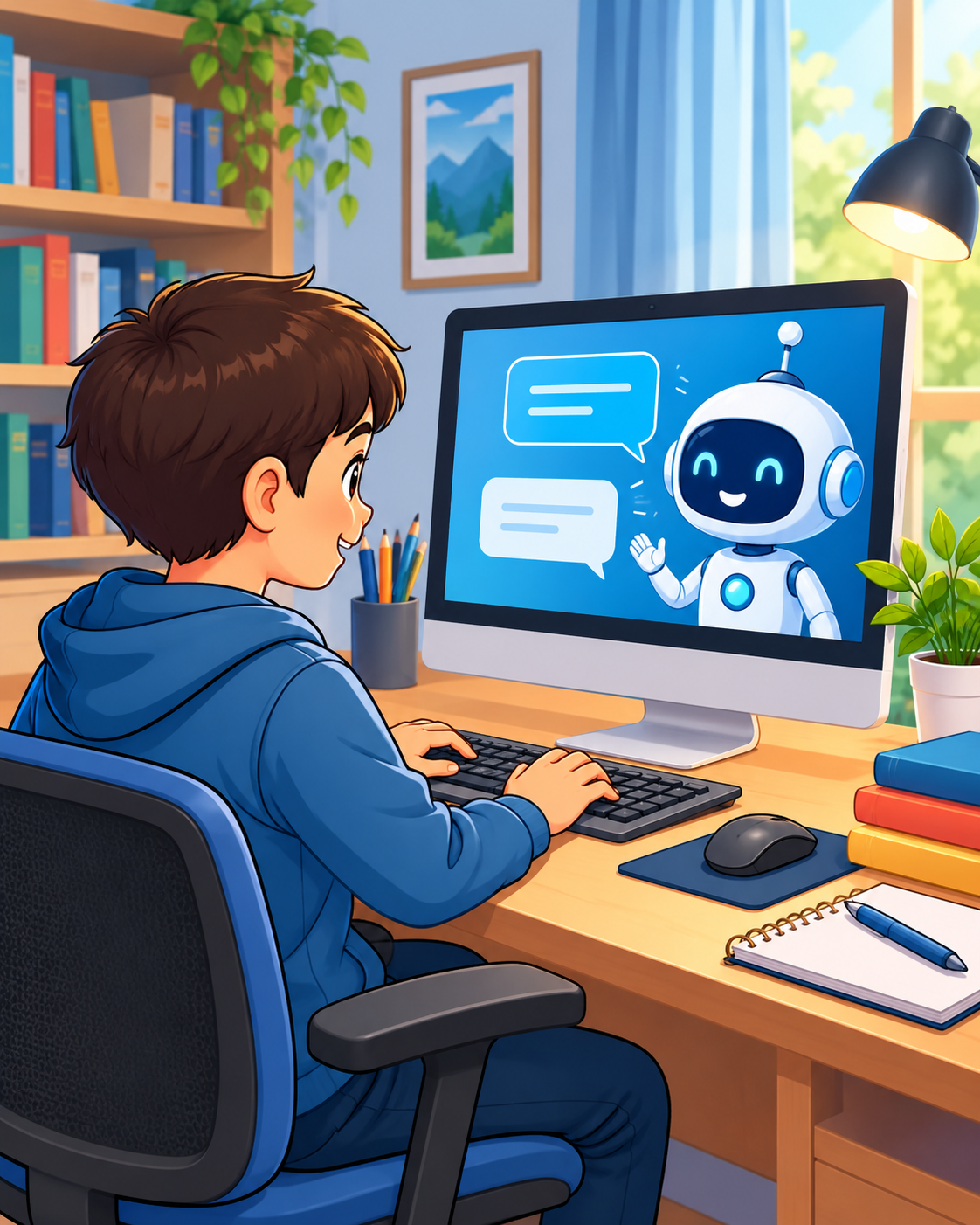
💬 1. What Is a Chatbot?
A chatbot is a computer program that communicates with people through text or voice. It can answer questions, explain concepts, provide information, and help users perform simple tasks.
🎓 Example: A Student Using a Chatbot
👨🎓 Student: What is Python?
🤖 Chatbot: Python is a popular programming language used to develop websites, automate tasks, and build AI applications.
💡 Remember: A chatbot focuses on communicating with users and responding to their questions or requests. Its capabilities depend on how it is designed.
🤖 2. What Is an AI Agent?
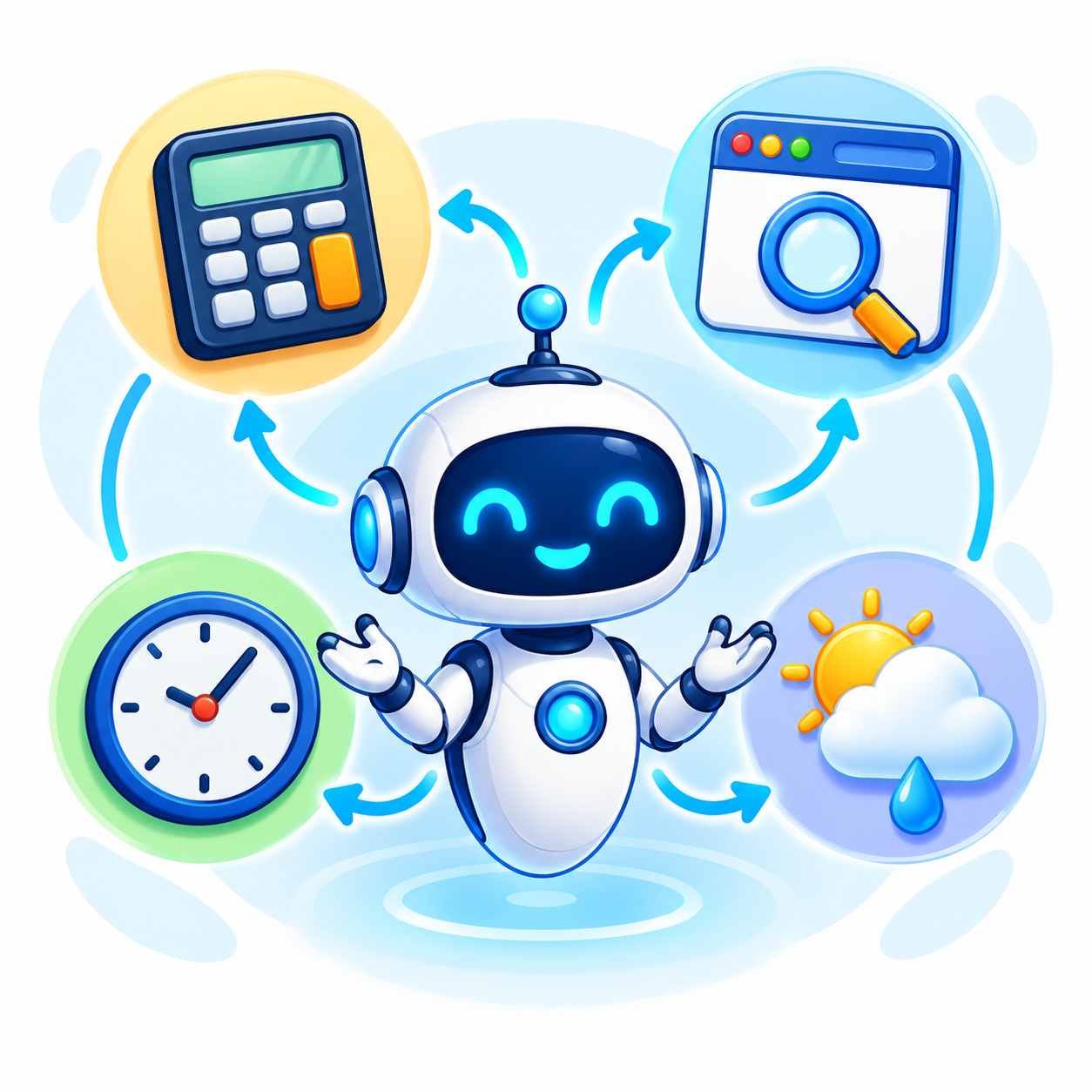
An AI agent is a system that can understand a goal, decide what steps to take, use available tools, and perform actions to achieve that goal.
🎓 Example: A Student Using an AI Agent
Goal: Find a Python tutorial, calculate a result, and check the weather.
⚙️ How it works: The agent can use a web browser to find a tutorial, a calculator to solve the problem, and a weather tool to retrieve weather information.
💡 Remember: A chatbot mainly focuses on conversation, whereas an AI agent can also use tools and take actions to accomplish a goal.
⚖️ 3. Chatbot vs AI Agent
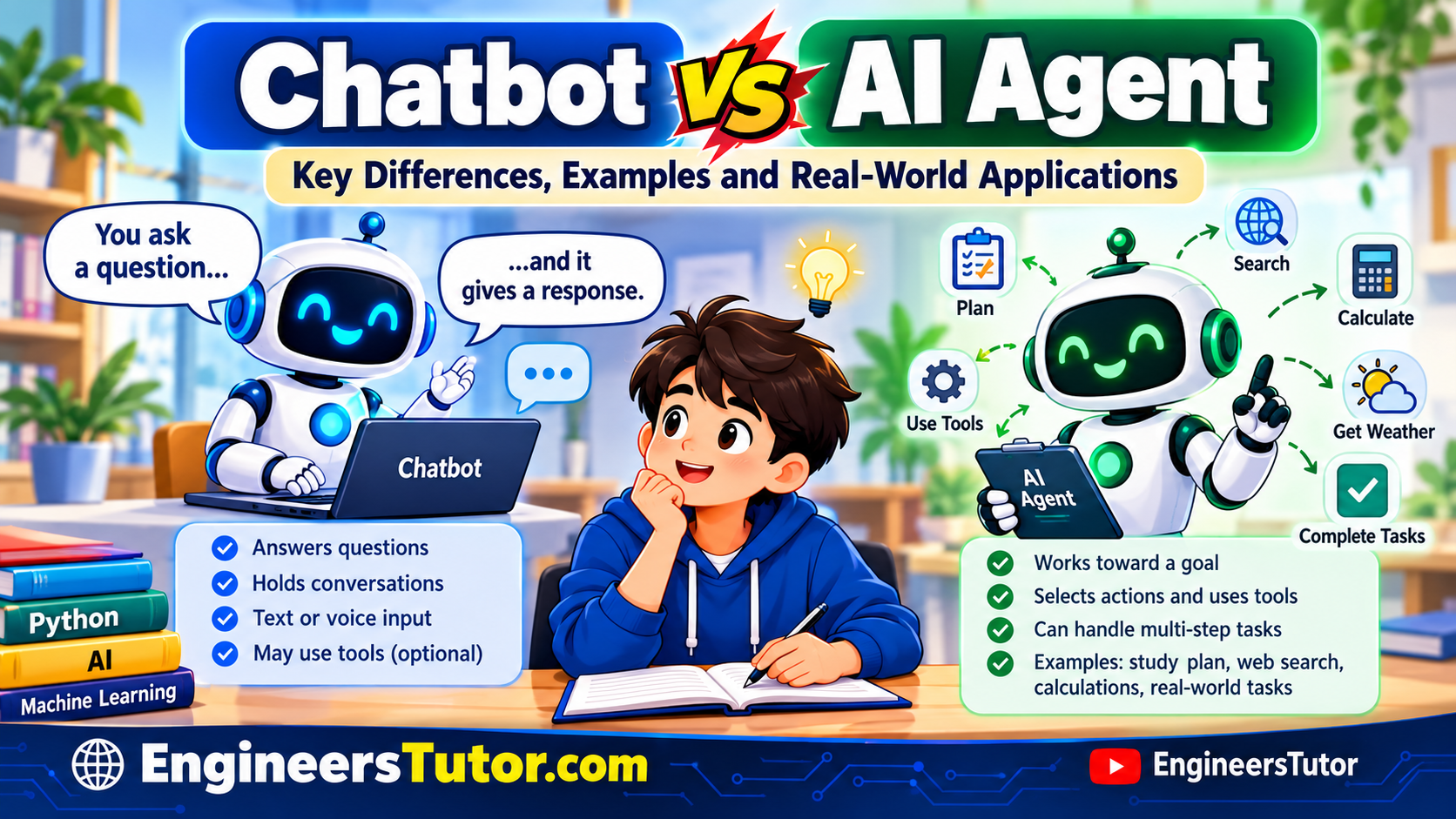
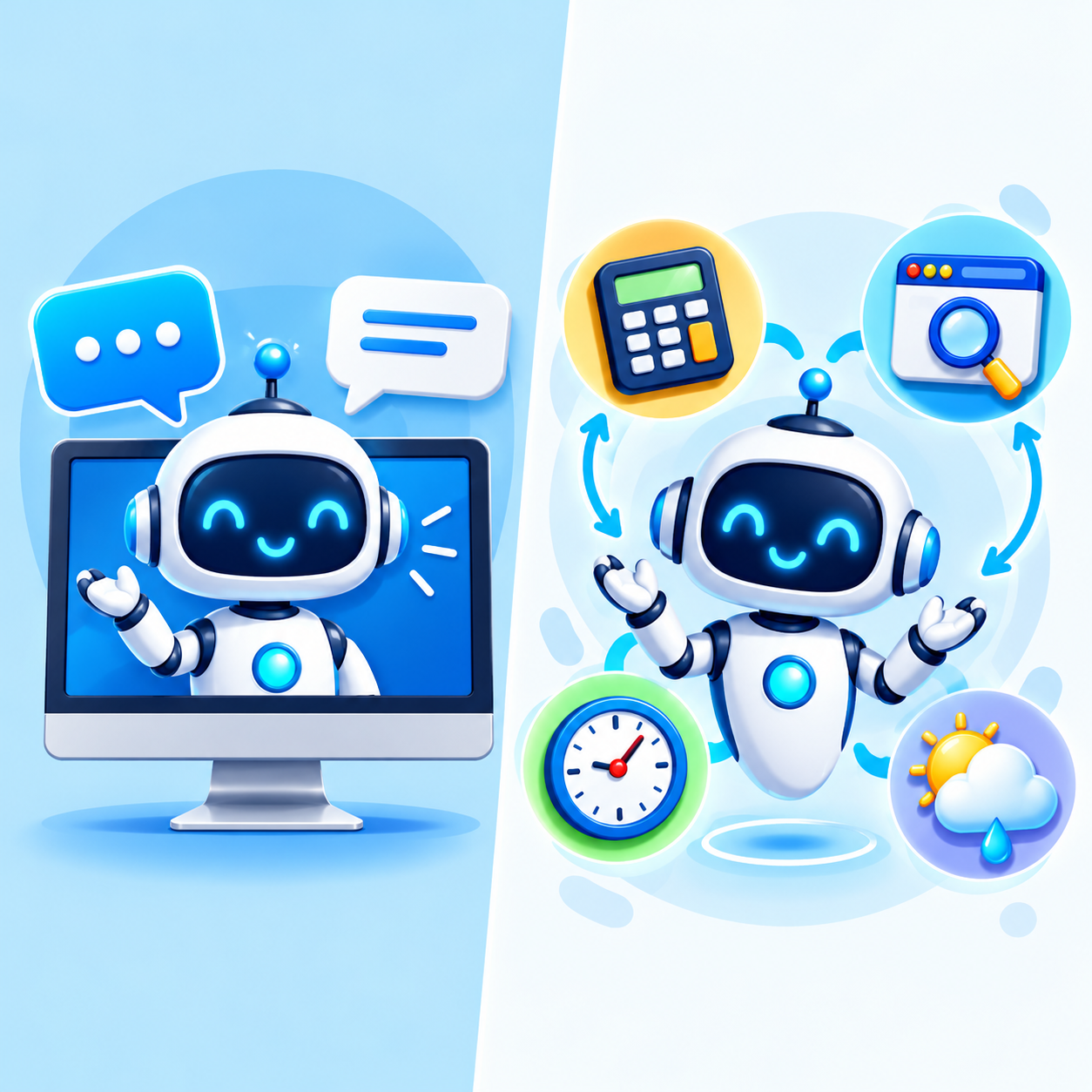
A chatbot mainly focuses on communicating with users and answering questions. An AI agent can go further by planning steps, using tools, and taking actions to achieve a goal.
💬 Chatbot
Main role: Answers questions and explains information.
Example: A student asks, “What is Python?” The chatbot explains Python.
🤖 AI Agent
Main role: Plans steps and uses available tools to complete tasks.
Example: Finds a Python tutorial using a browser and solves a calculation using a calculator.
💡 Remember: A chatbot can be part of an AI agent. An AI agent can also plan and perform actions, depending on its capabilities and permissions.
⚙️ 4. How Does an AI Agent Work?
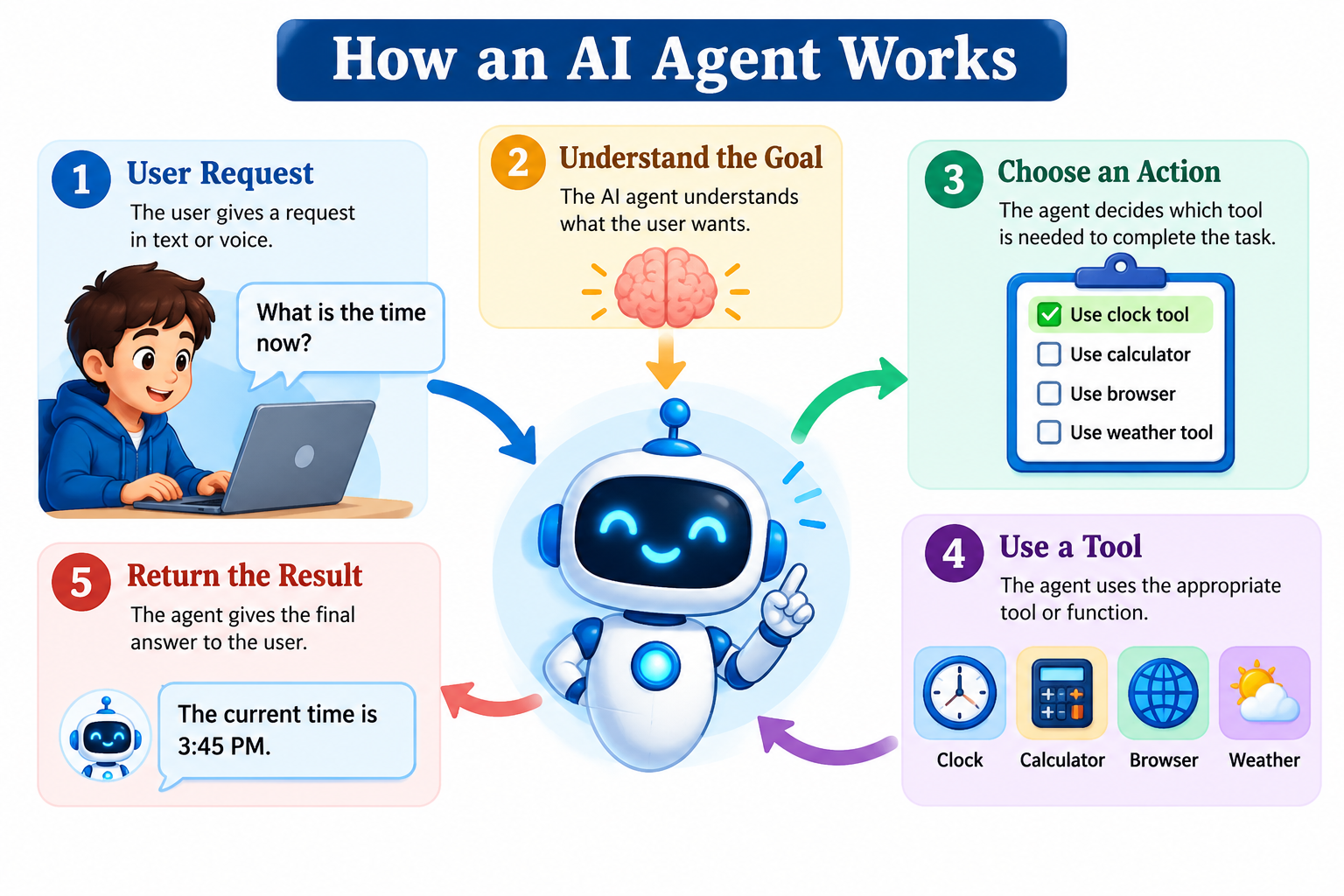
An AI agent receives a request, identifies the goal, selects an appropriate action, and uses a suitable tool when needed. It then returns the result to the user.
① Understand: Identify what the user wants.
② Decide: Determine the next step.
③ Use a tool: Choose a calculator, browser, clock, or weather tool as required.
④ Respond: Present the result to the user.
💡 Key idea: The agent selects a tool according to the task. Not every request requires an external tool.
🐍 5. A Simple Real-World Example
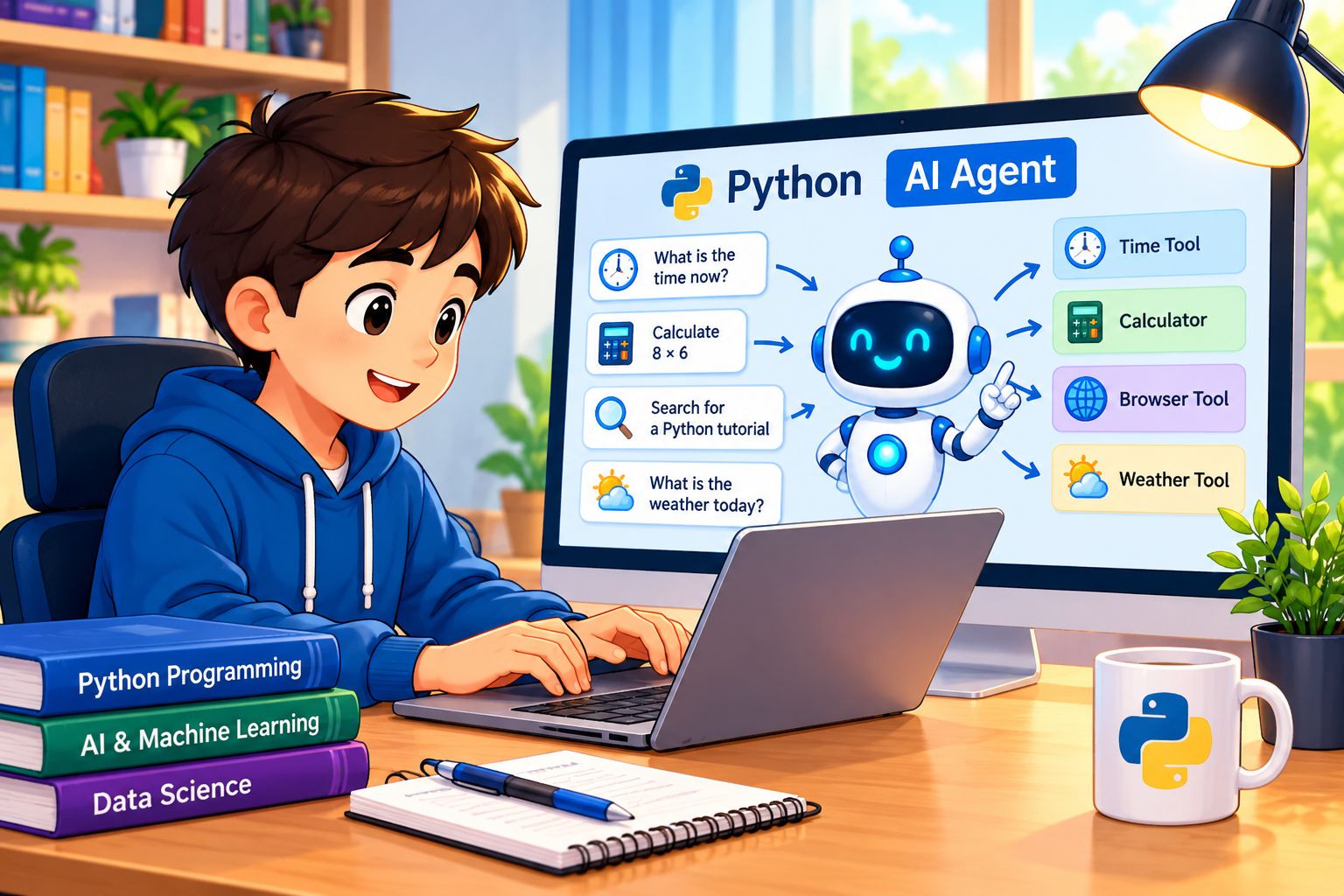
Imagine a student using a simple Python AI agent. The program receives a request and selects the appropriate function or tool to handle it.
🎯 Example requests
🕒 “What time is it?”
The agent calls the clock function and returns the current time.
🧮 “Multiply 8 by 6.”
The agent selects the calculator function and returns 48.
🔎 “Search for a Python tutorial.”
The agent uses a browser or search tool to find relevant information.
💡 Remember: A simple AI agent can use Python functions as tools. More advanced agents may use AI models to interpret requests and choose between available tools.
🎯 2. The Most Important Concept to Explain Visually
Students may assume that every chatbot is an AI agent or that every AI agent must be a chatbot. The key difference is what the system is designed to do.
Chatbot
The user asks a question.
Main focus: Conversation
Both may use AI and tools, depending on their design.
AI Agent
The user gives a goal.
Main focus: Completing a task
💡 Important technical point: This is a simplified distinction, not an absolute rule. Modern chatbots can use tools, and AI agents can communicate through chat. The difference is whether the system is designed mainly to respond in conversation or to pursue a goal and take actions.
📚 3. Explain the Difference with a Simple Everyday Example
Imagine a student preparing for a Python examination. A chatbot can answer questions, while an appropriately equipped AI agent can help organize several study tasks.
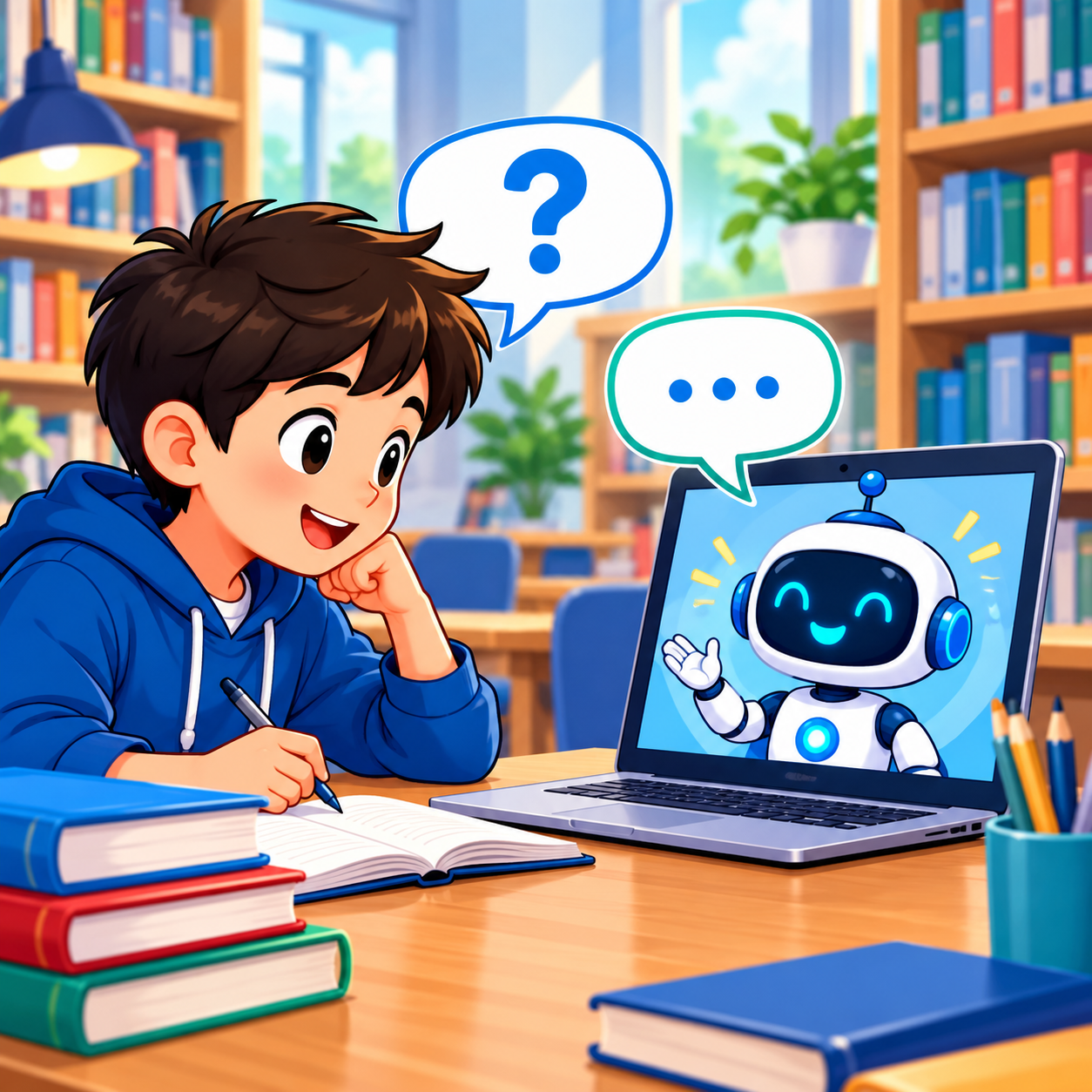
💬 Example A: Chatbot
Student: “When was Python created?”
Chatbot: “Python was first released in 1991.”
The chatbot provides the requested information. It may also answer follow-up questions.
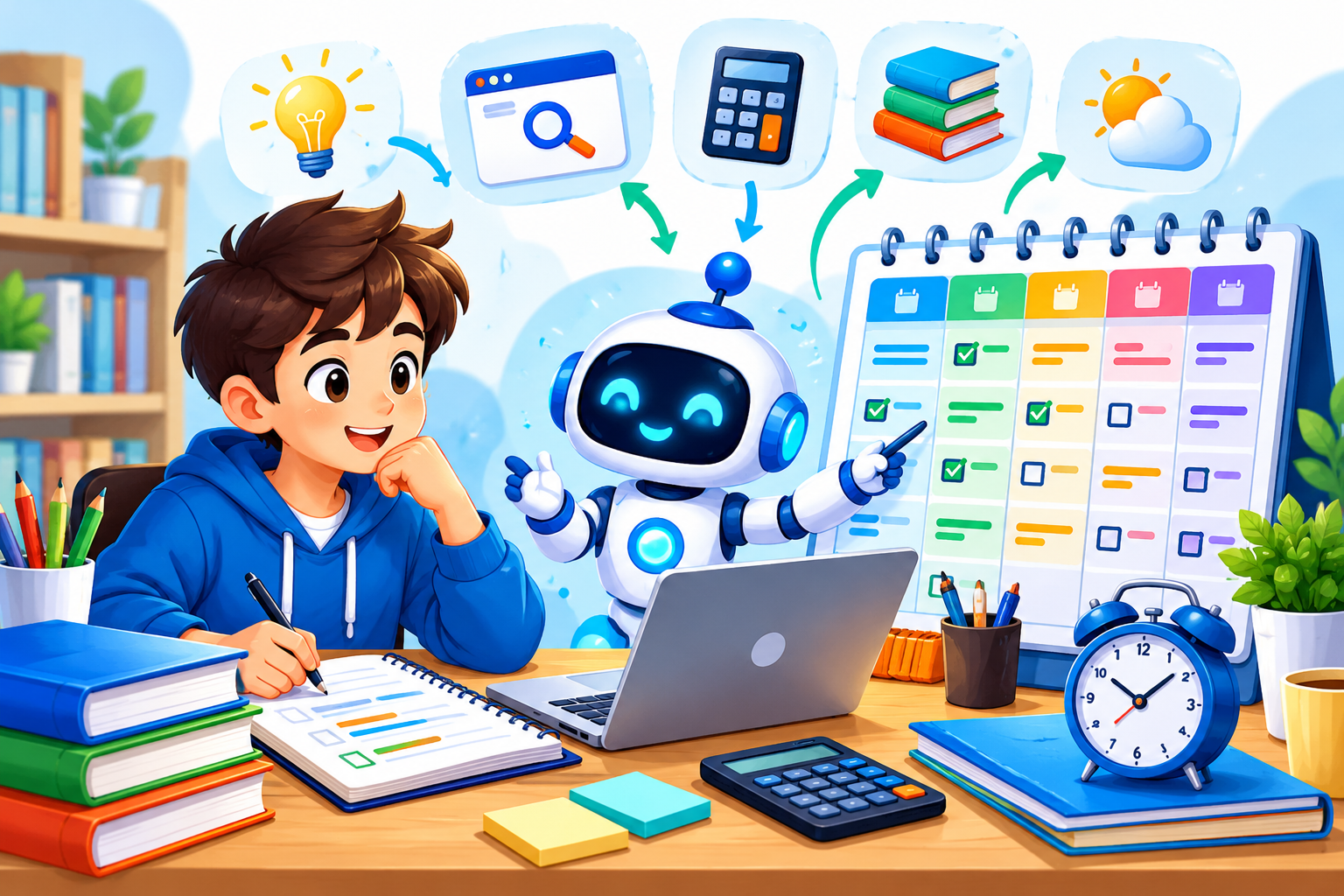
🤖 Example B: AI Agent
Student: “Help me prepare for my Python examination.”
AI Agent: It could find learning resources, organize a study checklist, calculate available study time, and prepare a study plan.
The agent uses appropriate tools where necessary instead of merely returning one answer.
💡 Remember: A chatbot is primarily designed for conversation, whereas an AI agent is designed to work toward a goal. An agent may ask questions or request approval before taking certain actions.
📊 4. Chatbot vs AI Agent: Comparison Table
Compare their main features to quickly understand the differences between a chatbot and an AI agent.
| Feature | 💬 Chatbot | 🤖 AI Agent |
|---|---|---|
| Main purpose | Answers questions and holds conversations | Works toward a goal |
| Input | Text or voice | Text, voice, or other inputs |
| Decision-making | May answer directly or use tools | Selects actions according to its design |
| Tool usage | Optional | Often uses tools to perform tasks |
| Multi-step tasks | May support them | Often designed to handle them |
| Example | Answering a Python question | Finding a tutorial and planning study time |
| Human approval | Depends on the task | May be required before important actions |
💡 Important note: These are general tendencies, not strict rules. A chatbot can have agent-like capabilities, and an AI agent may use a chatbot interface.
🧠 5. Types of AI Agents
AI agents can be classified according to how users interact with them and how they perform tasks. Here are four practical types for beginners.
1. Text-Controlled AI Agent
Receives typed instructions and returns results. For example, a user types, “Calculate 25 × 4.”
2. Voice-Controlled AI Agent
Receives spoken instructions, converts speech into a usable request, and performs the task. For example, “What time is it?”
3. Tool-Using AI Agent
Uses tools such as calculators, web browsers, databases, or weather services to complete tasks.
4. More Advanced AI Agent
May plan multiple steps, use tools, check results, and adjust its next action to achieve a goal.
🚀 Try it on EngineersTutor: Start with a text-controlled Python agent, then extend it with voice input and tools such as a calculator and browser.
🌍 6. Real-World Applications of AI Agents
AI agents can help people complete tasks by interpreting requests, selecting suitable tools, and taking actions. Here are some practical examples.
1. Education and Learning
Helps students find learning resources, create revision schedules, explain difficult concepts, and organize study tasks.
2. Office and Business
Assists with summarizing documents, preparing draft emails, organizing information, and managing routine workflows.
3. Web Search and Research
Searches for relevant information, compares sources, and prepares summaries for further review.
4. Online Shopping and Customer Support
Helps customers compare products, track orders through connected services, and find answers to common questions.
5. Smart Homes
Works with compatible devices to control lighting, adjust temperature, or perform other permitted home-automation tasks.
6. Personal Productivity
Helps organize calendars, prepare to-do lists, set reminders, and coordinate routine tasks using connected applications.
💡 Remember: An AI agent’s real-world capabilities depend on its design, available tools, permissions, and the reliability of the information it receives. Important actions should be checked before execution.
⚖️ 7. Advantages, Limitations, and Safety Considerations
AI agents can help automate tasks and improve productivity. However, their performance depends on their design, tools, permissions, and the quality of the information they receive.
✅ Advantages of AI Agents
⚡ Automation: Performs routine tasks with less manual effort.
🛠️ Tool usage: Uses calculators, browsers, and other connected tools to complete tasks.
🔄 Multi-step processing: Can organize a task into steps and work toward a goal.
⏱️ Productivity: Helps users save time on suitable tasks.
⚠️ Limitations of AI Agents
❗ Incorrect results: May misunderstand instructions or provide inaccurate information.
🔌 Tool dependency: Some tasks require internet access, APIs, or compatible software.
💰 Cost: Advanced AI models and external services may require paid access.
🧩 Complexity: Multi-step tasks may fail if a tool or an earlier step produces an incorrect result.
🛡️ Safety Considerations
🔐 Protect privacy: Avoid sharing passwords, financial details, or sensitive personal information unnecessarily.
👀 Verify results: Check important facts, calculations, and recommendations before relying on them.
✋ Require approval: Ask for human confirmation before sending important messages, spending money, deleting files, or making consequential changes.
🔒 Limit permissions: Give an agent access only to the tools and data it actually needs.
💡 Remember: AI agents are useful assistants, not infallible decision-makers. Use them with appropriate permissions, verify important outputs, and keep humans involved in consequential actions.
❓ 8. Frequently Asked Questions About Chatbots and AI Agents
Here are answers to common questions about chatbots, AI agents, their differences, and their practical uses.
1. What is the main difference between a chatbot and an AI agent?
A chatbot mainly focuses on communicating with users and answering questions. An AI agent can also plan steps, use tools, and perform actions to achieve a goal.
2. Can a chatbot also be an AI agent?
Yes. A chatbot can be part of an AI agent. For example, a conversational assistant may answer questions and also use a browser or calculator to complete tasks.
3. Does an AI agent always need an internet connection?
No. A simple agent can perform local tasks, such as calculations, without internet access. Online searches, weather services, and many cloud-based AI models require a connection.
4. Can I create a simple AI agent using Python?
Yes. You can build a basic Python agent that recognizes requests and selects functions such as a clock, calculator, or browser. More advanced agents may use an AI model to interpret instructions and select tools.
5. Does building an AI agent require an API key?
Not always. A rule-based Python agent can use predefined functions without an AI API key. However, connecting to a hosted AI model or certain external services may require an API key and could involve charges.
6. Can an AI agent work using voice commands?
Yes. A voice-controlled agent can convert spoken instructions into text, process the request, select a suitable tool, and display or speak the result. Speech recognition and voice output may require additional software.
7. Are AI agents always accurate?
No. AI agents can misunderstand instructions, use unreliable information, or make mistakes when using tools. Important results should be verified, and consequential actions should have suitable human oversight.
8. What is the best way for a beginner to learn AI agents?
Start with a small Python project that accepts typed commands and uses a few predefined tools. Once it works, add voice input, web search, or an AI model to extend its capabilities.
🚀 Keep learning: Try building a simple Python AI agent first, then extend it with more tools as you gain experience.
🎯 9. Conclusion: Chatbot vs AI Agent
Chatbots and AI agents are important applications of Artificial Intelligence. A chatbot mainly focuses on communicating with users and answering questions, while an AI agent can work toward a goal by selecting actions, using tools, and completing tasks.
For example, a chatbot can explain a Python concept, whereas an appropriately designed AI agent can find a tutorial, perform calculations, and organize a study plan using suitable tools.
💡 Key takeaway: The main distinction is not simply whether a system uses AI. It is how the system is designed to respond, pursue goals, and perform actions.
The best way to understand these concepts is to build a small project yourself. Start with a simple Python agent and gradually add more tools and capabilities.
📚 Related Tutorials on EngineersTutor
Continue learning with these beginner-friendly Python and AI tutorials.
🤖 What Is an AI Agent? A Beginner’s Guide
Understand AI agents, their working principles, practical uses, and differences from chatbots.
Read the AI Agent Tutorial →🐍 How to Install Python in 2026
Learn how to install Python on Windows and get started with programming.
Learn Python Installation →💻 How to Run Python Programs in Thonny
Learn to write, save, execute, and test Python programs using Thonny IDE.
Explore the Thonny Tutorial →🎯 Object Detection Using Python, AI and Machine Learning
Explore a practical AI project that detects objects in images using Python.
Explore the Object Detection Project →🚀 Keep Learning with EngineersTutor!
Explore programming tutorials and practical AI projects to turn your knowledge into working applications.
Visit EngineersTutor