Build a Quiz Program in Python – Step-by-Step Project for Beginners
Introduction
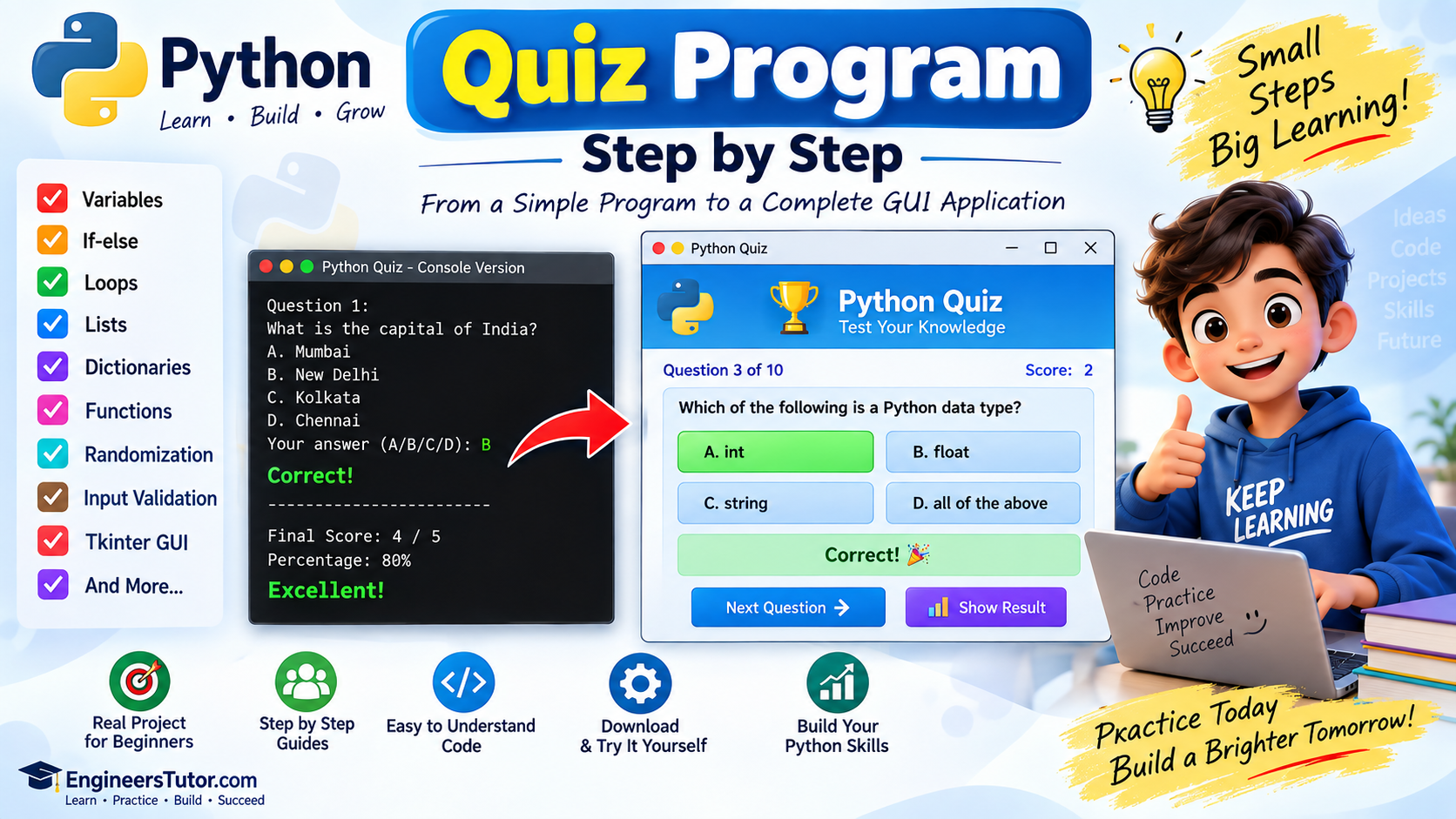
In this project, we will build a simple Quiz Program using Python. Instead of creating the complete application at once, we will develop it step by step. Each version introduces a new Python concept or feature. By the end of the project, we will have a complete GUI-based quiz application.
Because you are building this project step by step, I strongly recommend following the same approach when learning it.
Run the program, try different inputs, observe the output, and make sure it works before continuing.
💡 Why?
Each version introduces a new Python concept. Testing each version helps you understand what changed and makes it much easier to find and fix errors.
quiz_program_v1.py
We begin with the simplest possible quiz: one question, a few
answer choices, and a result.
The program displays information using print()
and gets the user’s answer using input().
The selected answer is then checked using
if-else.
No lists, loops, or functions are used yet.
print()
• input()
• Variables
• Strings •
if-else
• Comparison operators
• Basic program flow
You learn how a simple Python quiz works from beginning to end: display a question → accept an answer → check the answer → show the result.
quiz_program_v2.py
Instead of writing every question separately, we now store multiple questions inside a Python list.
This makes the program easier to expand because new questions can be added to the list without rewriting the entire quiz.
•
for loop
•
len()
A list allows you to store many questions in a single variable and access them one by one.
quiz_program_v3.py
We now improve the list-based quiz so that the same block of code can process multiple questions automatically.
A for loop goes through the
questions one by one, displays each question, accepts the user’s
answer, and checks it.
for loop
•
range()
•
len()
• Variables
•
input()
•
if-else
Instead of writing separate code for every question, one block of code can process many questions.
for loop.
ask_question() Function
quiz_program_v4.py
The quiz is becoming more organized. We create a function named
ask_question() to handle the
work of asking and checking a question.
def ask_question():
This function can display the question and its options, accept the user’s answer, and check whether the answer is correct.
def
• Function parameters
• Function calls •
return
•
for loop
•
if-else
Functions divide a larger program into smaller, reusable parts.
quiz_program_v5.py
The ask_question() function
now returns a result telling the main program whether the
user’s answer was correct.
return sends a value
back to the part of the program that called the function.
return
• Function results
• Variables
• Function parameters •
if-else
A function can send a value back to the part of the program that called it.
result = ask_question(...)
quiz_program_v6.py
Now that ask_question()
returns a result, we can introduce a score variable
to count how many questions the user answers correctly.
Each correct answer increases the score by one.
score = score + result
return
• Arithmetic operators •
for loop
• Functions
A counter can keep track of how many questions the user answers correctly.
score = score + result
quiz_program_v7.py
The quiz can now keep track of correct answers. After all questions are completed, the program displays the final score.
We can also calculate the total number of questions and present the result in a clear format.
len()
•
print()
• Functions
• Formatted output
A program can calculate information from the user’s performance and display a useful result at the end.
quiz_program_v8.py
The quiz now provides more useful feedback instead of showing only the score.
• Score • Percentage • Performance message
• Percentage calculation •
if-elif-else
• Variables • Formatted output
A percentage can be calculated from the score and the total number of questions.
percentage = (score / total_questions) * 100
We can then use conditions to display a suitable performance message based on the percentage.
• Very Good!
• Good Job!
• Keep Practicing!
quiz_program_v9.py
We now change the way each question is stored. Instead of keeping the question, options, and correct answer separately, we store all of them together in a dictionary.
{
    "question": "...",
    "options": [...],
    "answer": "A"
}• Dictionary keys • Dictionary values
• Indexing •
for loop
• Functions
A dictionary allows us to keep all the information belonging to one question together.
quiz_program_v10.py
Users may enter unexpected values such as
X,
Python, or
123.
We now prevent such invalid answers from being accepted.
A,
B,
C,
D
while loop
•
if
•
in
• Lists •
.upper()
•
input()
• Input validation •
break
The program can repeatedly ask for input until the user enters a valid answer.
while True:
    answer = input(...)
The loop continues until the entered answer is valid.
Once a valid answer is received,
break can stop the loop.
quiz_program_v11.py
The questions are now shuffled so they can appear in a different order each time the quiz runs.
Python provides the random module, which contains useful functions for working with random values.
import
• Modules
•
random
•
random.shuffle()
• Lists
•
.copy()
Python modules provide ready-to-use functionality that can extend what your program can do.
import randomrandom.shuffle(quiz_questions)The order of the questions is changed randomly before the quiz begins.
random module lets
a program introduce variation instead of following the
same fixed order every time.
quiz_program_v12.py
We add a simple text-based score bar to make the final result more visual and interesting.
The program can also display a more polished summary containing the score, percentage, and performance message.
int()
• String multiplication • String concatenation
• Formatted strings •
if-elif-else
Python allows strings to be repeated using the
* operator.
bar = "█" * 6This technique can be used creatively to build simple text-based visual elements such as score bars.
quiz_program_v13.py
This is an important restructuring step. Instead of keeping everything in one large block, the quiz is divided into separate functions.
ask_question()
show_result()
run_quiz()
main()
Each function has a specific responsibility. This makes the program easier to read, test, modify, and maintain.
return
• Lists • Dictionaries •
for loop
•
if-elif-else
•
while
•
random.shuffle()
Instead of putting everything into one large block, we divide the application into logical sections.
ask_question()
— Handles one question.
run_quiz()
— Runs the complete quiz.
show_result()
— Displays the final result.
main()
— Controls the overall program.
quiz_program_v14.py
Instead of running the quiz only in the Python Shell, we create a graphical user interface (GUI) with windows, labels, buttons, and other visual elements.
• Question display • Four answer buttons
• Score display • Progress display
tkinter
• GUI programming
•
tk.Tk()
•
Label
•
Button
•
pack()
• Functions
•
command
•
mainloop()
Tkinter is Python’s built-in GUI library. It allows you to create desktop applications with windows and interactive controls.
window = tk.Tk()window.mainloop()quiz_program_v15.py
We improve the GUI quiz by making the questions appear in a random order and adding controls that guide the user through the quiz.
• Next Question • Answer checking
• Score updating • Correct/Wrong messages
• Prevention of multiple answers
• Final percentage
tkinter
•
random.shuffle()
• Functions • Global variables
•
if-else
•
for loop
• Button states •
config()
• Event-driven programming
GUI programs work differently from simple programs that run from top to bottom. The program waits for the user to perform an action, such as clicking a button.
The program waits for the user to perform an action and then runs the function connected to that action.
check_answer()next_question()quiz_program_v16.py
This version brings together the concepts developed throughout the project and presents them as a complete graphical quiz application.
The final application combines the quiz logic with a cleaner, more polished GUI.
• Header section • Question card
• Styled answer buttons • Score display
• Progress display • Correct/Wrong feedback
• Next Question button • Restart functionality
• Final result • Improved visual appearance
tkinter
• GUI layout
• Widgets
•
Label
•
Button
•
Frame
•
config()
• Functions
• Global variables
• Lists • Dictionaries •
random
• Event-driven programming • String formatting
• Conditional statements • Loops
This final version combines the Python concepts learned throughout the project with GUI programming.
You did not start with a complicated application. You built the quiz gradually—adding lists, loops, functions, dictionaries, validation, scoring, randomness, and finally a graphical interface.
In this project, we built a Python Quiz Program step by step, starting with a simple console quiz and gradually developing it into a complete GUI-based application.
Along the way, we practiced variables, lists, loops, functions, dictionaries, input validation, randomization, and Tkinter GUI programming.