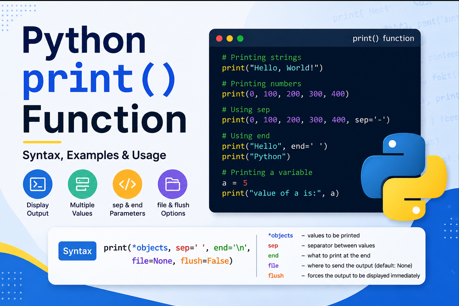
Python print() Function – Syntax, Examples and Usage
The print() function is one of the most commonly used and important functions in Python. It is generally used to display information on the screen.
When learning Python, print() is usually one of the first functions beginners encounter. We can use it to display text, numbers, the values of variables, and even multiple values at the same time.
In this tutorial, we will learn the syntax of the print() function and understand its commonly used arguments with simple examples.
What is the print() Function in Python?
The Python print() function displays the specified information on the screen.
For example:
print("Hello, World!")Output
Hello, World!Here, "Hello, World!" is a string, and print() displays it on the screen.
Basic Syntax of print()
The standard syntax of the Python print() function is:
print(*objects, sep=' ', end='\n', file=None, flush=False)There are several arguments available in print():
| Argument | Description |
| *objects | One or more values to be displayed |
| sep | Separator used between multiple values |
| end | What should be printed at the end |
| file | Where the output should be sent |
| flush | Whether the output should be forcibly flushed |
For beginners, the most important arguments to understand are:
objects
sep
end
1. Printing a String
The simplest use of print() is displaying text.
print("Hello, World!")Output:
Hello, World!We can print any text by placing it inside quotation marks.
print("Beautiful, World!")
print("Cruel, World!")
Output:
Beautiful, World!
Cruel, World!
For example:
print("Welcome to EngineersTutor.com")Output:
Welcome to EngineersTutor.comPython allows both single quotes and double quotes for strings:
print("Hello")
print('Hello')
Both produce:
Hello2. Printing Numbers
The print() function can also display numbers.
print(0, 100, 200, 300, 400)Output:
0 100 200 300 400Notice that the values are separated by spaces.
By default, Python uses a space as the separator between multiple objects passed to print().
In other words:
sep=' 'is the default behavior.
3. Printing Decimal Numbers
We can also print floating-point numbers.
print(0, 100, 200.5, 300, 400.9)Output:
0 100 200.5 300 400.9Here:
0is an integer100is an integer200.5is a floating-point number300is an integer400.9is a floating-point number
The print() function can display values of different data types together.
4. Printing Multiple Values
One important feature of print() is that we can pass multiple values to it.
For example:
print(10, 20, 30, 40)Output:
10 20 30 40The values are passed as separate arguments to the print() function.
Python automatically places a space between them.
Conceptually:
print(10, 20, 30, 40)behaves like:
10 + space + 20 + space + 30 + space + 405. Using the sep Argument
The sep argument specifies the separator between multiple objects.
The default value of sep is a space:
sep=' 'For example:
print(0, 100, 200, 300, 400, sep='-')Output:
0-100-200-300-400Here, instead of a space, Python places - between the values.
Using $ as the Separator
We can use any suitable string as the separator.
print(0, 100, 200, 300, 400, sep='$')Output:
0$100$200$300$400Using ^ as the Separator
We can also use the ^ character.
print(0, 100, 200, 300, 400, sep='^')Output:
0^100^200^300^400Therefore, the sep argument gives us control over how multiple values are separated.
6. Printing a Sentence with Multiple Arguments
The sep argument is not limited to numbers.
For example:
print("Welcome", "to", "EngineersTutor.com")Output:
Welcome to EngineersTutor.comThe default separator is a space.
We can change it:
print("Welcome", "to", "EngineersTutor.com", sep="-")Output:
Welcome-to-EngineersTutor.comWe can also use another separator:
print("Welcome", "to", "EngineersTutor.com", sep=" ")Output:
Welcome to EngineersTutor.com7. Printing a Variable
The print() function can also display the value stored in a variable.
For example:
a = 5

print(a)
Output:
5Here:
a = 5creates a variable named a and associates it with the integer value 5.
Then:
print(a)displays the value of a.
8. Printing Text and a Variable Together
We can also print text and a variable in the same print() statement.
a = 5

print("value of a is:", a)
Output:
value of a is: 5Here, two objects are passed to print():
"value of a is:"
a
Since the default separator is a space, Python places a space between them.
We can also write:
print("Value of a is:", a)This is a very common way of displaying variable values while learning and debugging Python programs.
9. The end Argument
Another useful argument of the print() function is end.
By default:
end='\n'The \n represents a new line.
Therefore:
print("Hello")
print("World")
produces:
Hello
World
The first print() moves the cursor to the next line after displaying "Hello".
We can change this behavior using end.
For example:
print("Hello", end=" ")
print("World")
Output:
Hello WorldHere, instead of moving to a new line after "Hello", Python prints a space.
10. sep and end Together
We can use both sep and end in the same print() statement.
For example:
print(10, 20, 30, sep="-", end="!")Output:
10-20-30!Here:
sep="-"specifies what should be placed between the values.
And:
end="!"specifies what should be printed after all the values.
11. Important Difference Between sep and end
It is important to understand the difference:
sep
sep controls what appears between multiple objects.
print(10, 20, 30, sep="-")Output:
10-20-30end
end controls what appears after the complete output.
print(10, 20, 30, end="!")Output:
10 20 30!Therefore:
sep → between objects
end → after the output
This is an important concept for Python beginners.
12. Complete Example
The following program demonstrates several uses of the print() function:
print("Hello, World!")
print("Beautiful, World!")
print("Cruel, World!")
print(0, 100, 200, 300, 400)
print(0, 100, 200.5, 300, 400.9)
print(0, 100, 200, 300, 400, sep='-')
print(0, 100, 200, 300, 400, sep='$')
print(0, 100, 200, 300, 400, sep='^')
print("Welcome to EngineersTutor.com")
print("Welcome to EngineersTutor.com.")
print("Welcome to EngineersTutor.com")
a = 5
print("Value of a is:", a)
This simple program demonstrates:
- Printing strings
- Printing integers
- Printing floating-point numbers
- Printing multiple valuesUsing the
separgument - Printing variables
- Printing text and variables together
13. Why Is print() Important?
The print() function is useful for many purposes in Python programming.
Displaying information
print("Welcome to Python")Displaying variable values
age = 20
print(age)
Displaying calculation results
print(10 + 20)Output:
30Debugging programs
Programmers frequently use print() to check the values of variables while developing a program.
For example:
x = 10
y = 20

print("x =", x)
print("y =", y)
Output:
x = 10
y = 20
This helps us understand what is happening inside a program.
Summary
The Python print() function is used to display information on the screen.
The standard syntax is:
print(*objects, sep=' ', end='\n', file=None, flush=False)The most commonly used parts are:
*objects → values to print
sep      → separator between values
end      → characters printed at the end
For example:
print(10, 20, 30, sep="-")produces:
10-20-30And:
print("Hello", end=" ")
print("Python")
produces:
Hello PythonThe print() function may look simple, but it is one of the fundamental building blocks of Python programming. Understanding objects, sep, and end provides a strong foundation for learning Python input/output and writing more useful programs.
Quick Reference
# Print text
print("Hello, World!")

# Print numbers
print(10, 20, 30)

# Print multiple values with a separator
print(10, 20, 30, sep="-")

# Print a variable
a = 5
print(a)

# Print text and a variable
print("Value of a is:", a)

# Change the ending
print("Hello", end=" ")
print("World")
In short:
print() → displays output
sep     → separates multiple objects
end     → determines what comes after the output