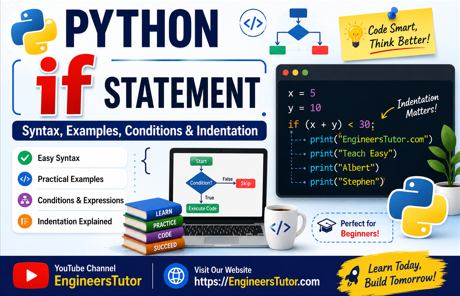
Python if Statement – Tutorial
The if statement is one of the most important decision-making statements in Python. It allows a program to check a condition and execute a particular block of code when that condition is true.
For example, suppose we want to display a message only when a number is greater than 10. We can use an if statement to make that decision.
What is an if Statement in Python?
An if statement tells Python:
“Check this condition. If it is true, execute the indented statements.”
The basic syntax is:
if condition:
    statement
Notice the colon (:) after the condition. The statement that belongs to the if must be indented.
For example:
x = 5

if x > 0:
    print("EngineersTutor.com")
Here, Python checks the condition:
x > 0Since x contains 5, the condition becomes:
5 > 0This condition is True, so Python executes the indented print() statement.
Output
EngineersTutor.comHow Does the Python if Statement Work?
The working of an if statement can be understood in three simple steps:
- Python evaluates the condition.
- If the condition is True, the indented statement or statements are executed.
- If the condition is False, the indented statements are skipped.
For example:
x = 5

if x > 10:
    print("EngineersTutor.com")
Python evaluates:
5 > 10The result is False, so the print() statement is not executed.
Therefore, no output is displayed.
Python if with a Non-Zero Value
Python can also evaluate a number directly as a condition.
x = 5

if x:
    print("EngineersTutor.com")
Here, x contains the value 5. Since 5 is a non-zero value, Python treats it as True.
Therefore, the statement inside the if block is executed.
Output:
EngineersTutor.com
A useful rule to remember is:
- Non-zero numbers → True
- 0 → False
Python if with Relational Operators
Relational operators can be used to compare values inside an if statement.
Common relational operators include:
| Operator | Meaning |
|---|---|
> | Greater than |
< | Less than |
>= | Greater than or equal to |
<= | Less than or equal to |
== | Equal to |
!= | Not equal to |
For example:
x = 5

if x > 10:
    print("EngineersTutor.com")
The condition is:
5 > 10Because this is False, the statement inside the if block is skipped.
Python if with the == Operator
The == operator is used to check whether two values are equal.
x = 5

if x == 10:
    print("EngineersTutor.com")
Python compares 5 with 10.
5 == 10
The result is False, so the print() statement is not executed.
Important: = versus ==
These two operators have different purposes:
x=5
= assigns a value to x.
x == 5== checks whether x is equal to 5.
Python if with an Arithmetic Expression
An arithmetic expression can also be used as the condition.
Consider:
x = 5
y = 10

if x + y:
    print("EngineersTutor.com")

Python first evaluates the expression:
x + y= 5 + 10= 15
The resulting value is 15, which is non-zero. Therefore, the condition is considered True, and the print() statement is executed.
Python if with an Arithmetic Expression and Relational Operator
We can combine an arithmetic expression with a relational operator.
x = 5
y = 10

if (x + y) > 30:
    print("EngineersTutor.com")
Python first calculates:
x + y
= 5 + 10
= 15
The condition then becomes:
15 > 30This is False, so the statement inside the if block is not executed.
Multiple Statements Inside if
Python can execute more than one statement when an if condition is true.
Unlike C, Python does not use curly braces { } to group statements.
Instead, Python uses indentation.
For example:
x = 5
y = 10

if (x + y) < 30:
    print("EngineersTutor.com")
    print("Teach Easy")
    print("Albert")
    print("Stephen")
Here:
x + y = 5 + 10 = 15Therefore:
15 < 30is True.
All four indented print() statements belong to the if block and are executed one after another.
Output
EngineersTutor.com
Teach Easy
Albert
Stephen
Indentation in Python if Statements
Indentation is very important in Python. It tells Python which statements belong to the if block.
A common convention is to use four spaces for each indentation level.
if condition:
    statement 1
    statement 2
    statement 3
The indentation visually shows that all three statements belong to the if statement.
This is different from C, where curly braces are commonly used:
if (condition)
{
    statement1;
    statement2;
}
In Python, we simply use indentation:
if condition:
    statement1
    statement2
No curly braces are required.
Key Points to Remember
- Python uses the
ifstatement to make a decision. - The condition is followed by a colon (
:). - Statements belonging to
ifmust be indented. - Four spaces are commonly used for indentation.
- Python does not use
{ }to define anifblock.==checks equality, while=performs assignment. - A non-zero number is treated as True.
0is treated as False. - When the condition is False, the indented statements are skipped.
- Multiple statements can be placed inside an
ifblock by giving them the same indentation.
Conclusion
The Python if statement is a simple but powerful way to introduce decision-making into a program. Once you understand conditions, relational operators, arithmetic expressions, and indentation, you can begin writing programs that respond differently depending on the situation.
In the next tutorial, you can learn how if and else work together to handle both possible outcomes of a condition.
